Jericho Prince Llagas
Jericho Prince LlagasEmail me

I design websites that sound like the brand behind them.

I turn briefs and brand assets into responsive Figma designs, ready for developers or a WordPress build.

Open to agency and in-house roles, contract or full-time. Three years at Design Pickle.

Useful can still be
distinctive.

Jericho Prince Llagas

I’m Jericho, a UI/UX and web designer working across websites, interfaces and visual design.

I care about typography, composition, and turning uncertain starting points into clear, well-crafted design work. Most of my week is spent inside Figma, shaping pages for clients across industries and keeping files a developer can actually build from.

I’m especially interested in projects where visual identity and usability have to work together, whether that means designing a new website, extending an existing interface, or supporting a team through a defined design phase.

Based in
Makati, Philippines, UTC+8
Current role, since 2023
Figma specialist, Design Pickle
Freelance
Since 2021, brand to live site
Core tools
Figma, Elementor, WordPress

01 / Client project
Web, UI & implementation

Inigtan Lio
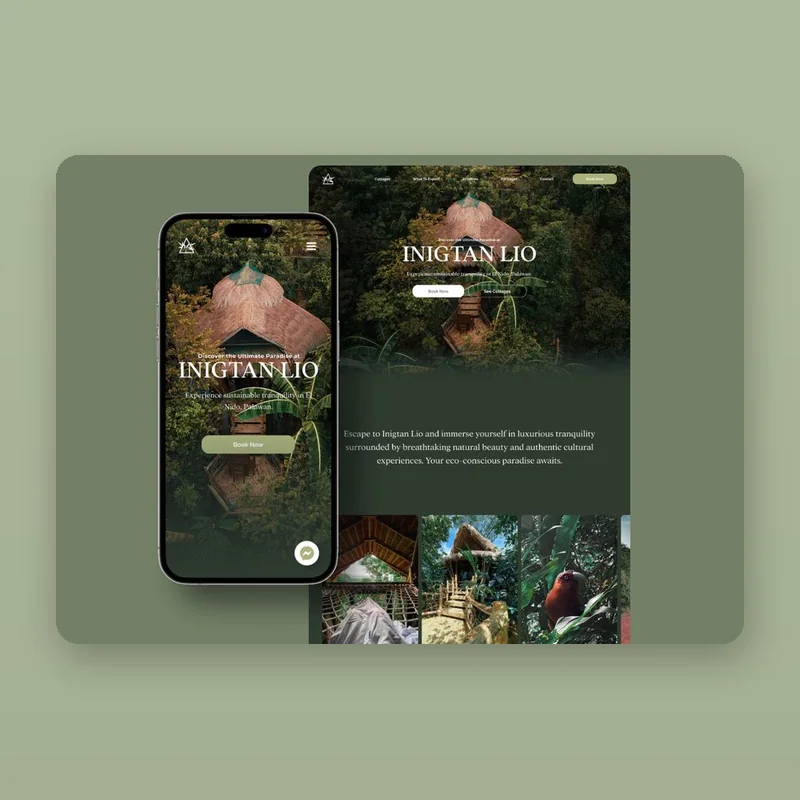
Live siteInigtan Lio resort website, home page design

Inigtan Lio Bamboo Cottages is a vacation rental business that offers unique and eco-friendly accommodations in Palawan, Philippines. The owners...

Read the case study →
Year
2023
Scope
UI/UX Design, Web Design, Web Development
Delivery
Design, WordPress build, handoff
At a glance

Live: inigtanlio.com

Prototype: Open in Figma ↗

Screens: 9 in the case study

02 / Client project
Adoption app, UI & brand

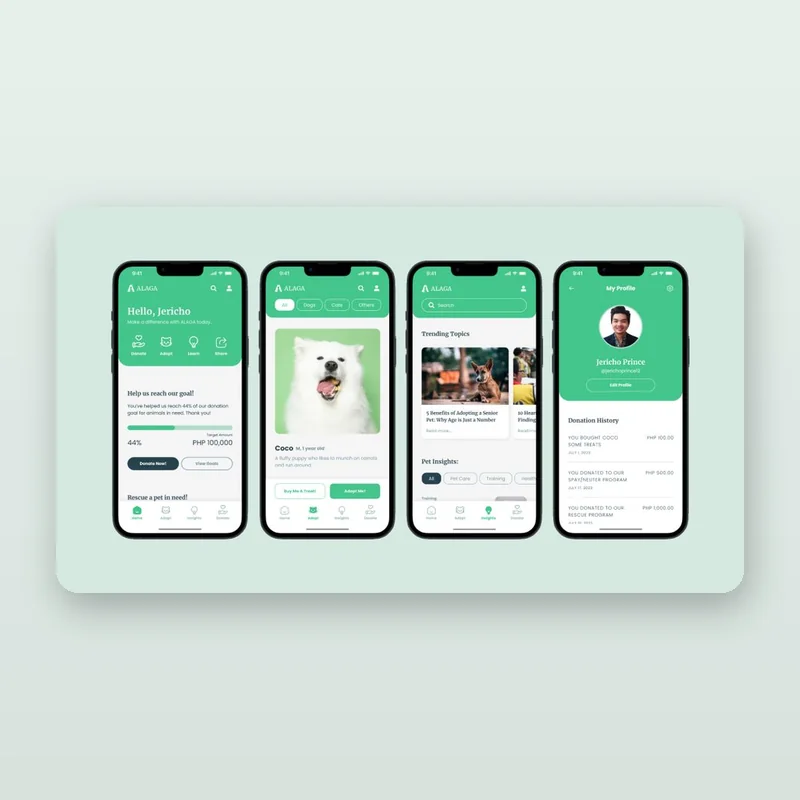
ALAGA

PrototypeALAGA pet adoption app splash screen

ALAGA (Animal Lovers And Guardians Association) is a nonprofit company dedicated to the well-being and protection of animals. Based on a...

Year
2023
Scope
UI/UX Design, App Design, Case Study
Type
Nonprofit client project
At a glance

Prototype: Open in Figma ↗

Screens: 21 in the case study

Read the case study →

Good screens start before the screen.

A polished final screen matters. So does understanding the brief, comparing alternatives, and explaining why a particular route fits the content and the audience.

Visual studies, type explorations and responsive iterations make those decisions easier to discuss, and easier to carry through the rest of the design.

Working principles

  1. 01Start with the content, the constraints, and the intended user.
  2. 02Explore a focused set of alternatives rather than endless variations.
  3. 03Keep files, components and handoff notes organized.
Visual study / Route 02

Expressive, not ornamental.

A characterful serif adds personality. A restrained sans-serif keeps navigation and supporting information clear.

Useful design.
Clearly delivered.

Project-based support for direct clients, and flexible design support for agencies and in-house teams.

For direct clients

From early ideas to a clear website design.

A structured process for turning content, references and business goals into a coherent digital experience.

  • Website and landing page design
  • Visual exploration and interface design
  • Responsive layouts and Figma systems
  • Design-to-build collaboration and handoff
Discuss a project

For agencies & in-house teams

Flexible support for design work.

Additional capacity for a defined project phase, ongoing interface work, or translating an established visual language into screens.

  • Web and UI design support
  • Focused visual route exploration
  • Responsive screen and component design
  • Organized Figma files and production support
Discuss team support

From rough brief
to usable files.

Four steps, whether it’s a single landing page or a full site with a build at the end.

  1. Discover

    Review the brief, audience, content, references, technical constraints and intended outcome.

  2. Explore

    Test typography, color, layout and interface patterns through a focused set of visual studies.

  3. Design

    Develop the chosen route into responsive screens, refine it through feedback, and check component consistency.

  4. Handoff

    Prepare organized files, relevant specifications and notes for implementation or continued design work.

Tell me where
it’s stuck.

Share what you’re designing, the current challenge, or where your team needs additional support. Direct client, agency or in-house, the rough version is enough to start.

[email protected]

Makati, Philippines, UTC+8

Opens your email app. No form data is stored.